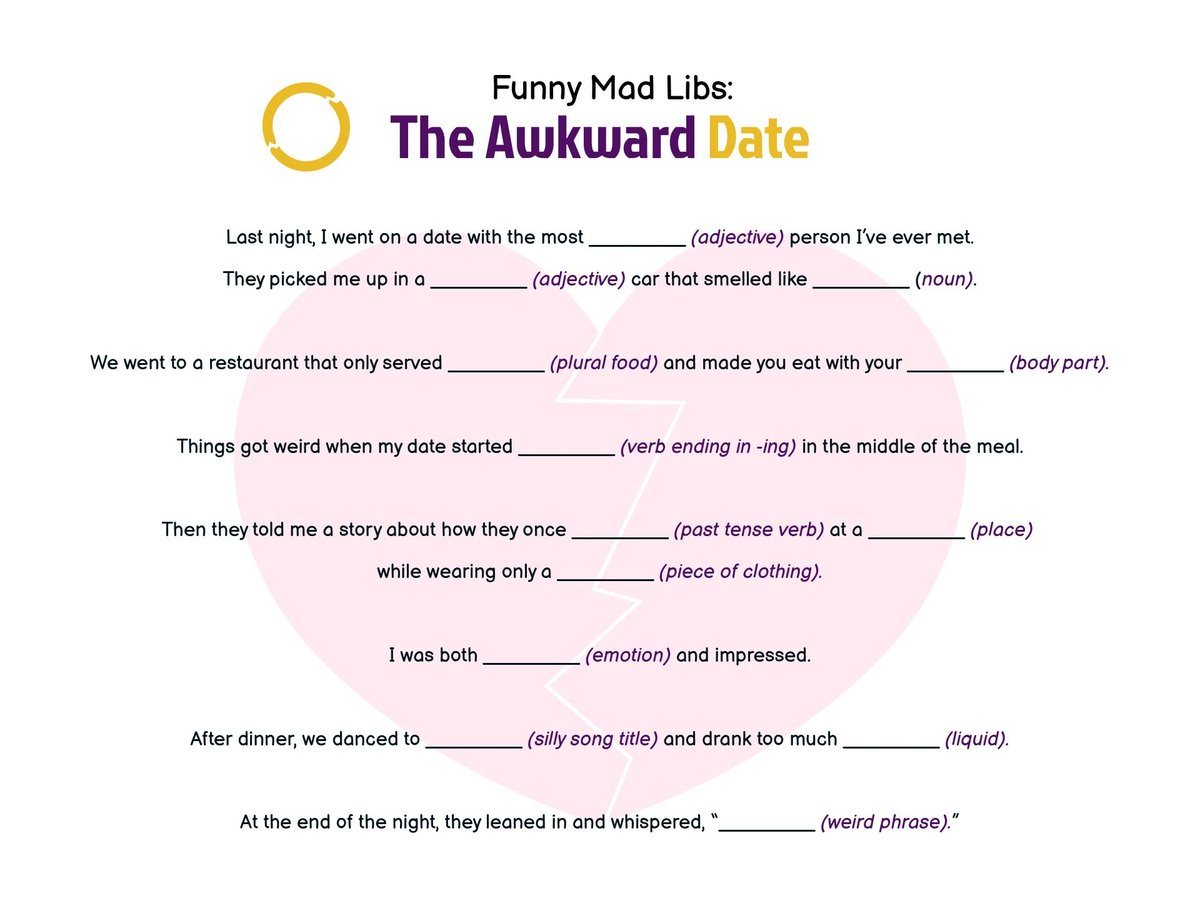
Remember the giddy anticipation of reaching into that little book, shouting out "a noun!" or "an adjective!" to a friend, only to collapse in laughter at the ridiculously hilarious story that emerged? That classic Mad Libs magic isn't confined to paper anymore. In today's digital age, online Mad Lib generators are bringing that same joy to your screen, often supercharged with a dash of artificial intelligence to make the storytelling even more unpredictable and fun. But how to use an online Mad Lib generator effectively? It’s more than just typing words; it’s about understanding the nuances of these tools to create truly unforgettable, laugh-out-loud tales.
This comprehensive guide will walk you through everything you need to know, from selecting the right generator to mastering its features, ensuring your digital Mad Libs are as entertaining as their analog ancestors.
At a Glance: Your Guide to Online Mad Lib Generators
- What They Are: Digital tools that use AI to create humorous, fill-in-the-blank stories.
- Why Use Them: For quick entertainment, boosting creativity, enhancing language skills, and making communication more engaging.
- Getting Started: Typically involves providing keywords, choosing themes, selecting languages, and adjusting creativity levels.
- Key Differentiators: Some focus on traditional story generation (like AIFreeBox), others on personalized communication (like WriteCream).
- Pro Tips: Mix word types, experiment with themes, and don't be afraid to edit the AI's output.
- Troubleshooting: Solutions for common issues like repetitive stories, awkward grammar, or overly random results.
- Beyond Fun: Great for educational settings, parties, and unique creative prompts.
The Digital Playground: What's an Online Mad Lib Generator, Anyway?
At its core, an online Mad Lib generator is a digital rendition of the beloved word game. Instead of a pre-printed story with blanks, these web-based tools leverage sophisticated algorithms, often powered by transformer-based large language models (LLMs), to construct narrative "skeletons." Users then inject their chosen words—nouns, verbs, adjectives, adverbs—into these skeletons, and the generator stitches them together into a complete, often nonsensical, and always humorous story.
Think of it as a collaborative storytelling effort between you and a digital brain. You supply the raw, colorful ingredients, and the AI takes on the role of the master chef, whipping them into a delightful, unpredictable dish. These aren't serious writing assistants; their primary directive is to spark joy, encourage play, and perhaps even slyly enhance your vocabulary and imaginative muscle.
Why Go Digital? The Benefits of AI-Powered Mad Libs
While the tactile experience of a physical Mad Libs book has its charm, online generators bring a host of advantages to the table, making them incredibly versatile tools for various situations:
- Instant Gratification: No need to search for a book or a pen. A few clicks, a few words, and voilà! – a brand new, hilarious story appears. This speed makes them perfect for quick entertainment breaks or spontaneous fun.
- Boundless Variety: Traditional Mad Libs offer a finite number of stories. Online generators, especially AI-powered ones like the AIFreeBox AI Mad Libs Generator, can generate an almost infinite array of narratives based on themes and keywords. With 20 themed styles from "Airport Antics" to "Wizard School," boredom is practically impossible.
- Language Learning & Practice: For students and language enthusiasts, these tools are gold. They provide a playful way to practice vocabulary, understand word types (nouns, verbs, adjectives), and even experiment with sentence structure in 33 supported languages. It's a low-stakes environment to make mistakes and learn from them. You can dive deeper into interactive games for language learners by exploring digital tools like this.
- Creative Spark & Prompt Generation: Writer's block? Need a fresh idea? Mad Libs can be fantastic creative prompts. Input some random words, choose an unexpected theme, and see what wild tale the AI concocts. It can be a jumping-off point for your own stories or simply a fun way to spark your creative writing with AI.
- Social Icebreaker & Party Fun: Having friends over? Looking for a family activity? Mad Libs are natural icebreakers. They invite interaction, laughter, and often reveal surprising insights into people's minds based on their word choices. They're a staple for easy party game ideas that guarantee laughs.
- Personalized Communication: Tools like the WriteCream Free AI Personalized Mad Lib Generator take this a step further, allowing you to inject humor and personality into emails or messages, transforming mundane communication into something memorable.
Your Step-by-Step Guide to Crafting Hilarious Stories (AIFreeBox Model)
Let's dive into the practical side of things, using the popular AIFreeBox AI Mad Libs Generator as our primary example. This process is generally representative of many online generators that aim for the classic Mad Libs experience.
Step 1: Gather Your Word Arsenal (Keywords Are Key!)
This is where the magic begins. Unlike traditional Mad Libs where you're prompted for specific word types (e.g., "a plural noun"), many AI generators ask for a list of general keywords.
- How it Works: You’ll typically find a text box labeled "Keywords" or similar. Here, you'll enter a series of words, separated by commas or spaces.
- Pro Tip: Mix it up! Don't just list nouns. Include nouns, verbs, adjectives, adverbs, proper nouns, and even interjections. The more varied your input, the more unpredictable and funny your story will be.
- Example Input:
pirate, treasure, banana, storm, bravely, run, squishy, giggle, Captain Jack, enormous, quickly
Step 2: Pick Your Playground (Choosing a Theme)
The theme acts as a narrative compass for the AI. It guides the story's overall setting, vocabulary, and tone, ensuring the output is PG-friendly and playful.
- How it Works: Look for a dropdown menu or a list of options under "Choose a Theme." The AIFreeBox generator offers 20 themed styles, ranging from "Adventure" and "Spooky" to "School Life" and "Fantasy & Magic."
- Why It Matters: Selecting "Adventure" will lead to stories with pirates, quests, and maybe a dragon. Choosing "School Life" might involve teachers, homework, and recess. Matching your keywords to the theme can create surprising connections, but deliberately mismatched keywords can also yield hilarious results!
Step 3: Speak the Lingo (Language Selection)
If you're using the generator for language practice or simply prefer a specific language, this step is crucial.
- How it Works: You'll find a "Choose Language" option, usually a dropdown menu. AIFreeBox supports an impressive 33 languages.
- Important: Ensure your input keywords match the selected output language. If you choose "Spanish" but input English words, the resulting story will likely be nonsensical or grammatically awkward.
Step 4: Dial Up the Delight (Adjusting Creativity)
This is where the "AI" in "AI Mad Libs" truly shines. Most generators will have a "Creativity Level" slider or similar setting.
- How it Works: This slider controls how much the AI "interprets" and extrapolates from your input. AIFreeBox suggests a middle value (around 5/10) to balance clarity and humor.
- What it Means:
- Lower Creativity: The AI will stick closer to conventional word associations and story structures, making the output more coherent but possibly less surprising.
- Higher Creativity: The AI will take more imaginative leaps, leading to more unpredictable, whimsical, and sometimes completely absurd stories. This is great for maximum laughs but might occasionally result in less grammatical or harder-to-follow narratives. Experiment to find your sweet spot!
Step 5: Unleash the Laughter (Generate Your Story!)
You've set your parameters, provided your words—now it's time for the big reveal!
- How it Works: Simply click the "Generate Story" or similar button. The AI will instantly process your input and present you with a unique, PG-friendly short story.
Step 6: Polish, Play, & Pass It On (Review, Adapt, Share)
The generated story is a draft—a playful foundation. Think of yourself as a co-creator, ready to add your human touch.
- Review: Read through the story. Notice how your words were integrated.
- Customize & Adapt: The AI's job is to spark ideas. Feel free to tweak sentences, replace words, or expand on interesting plot points. For instance, a teacher might adapt a generated draft for a classroom vocabulary exercise, or a parent might refine one for a bedtime story. This process highlights how how AI writing tools are evolving to be collaborative rather than fully autonomous.
- Share: Most generators offer options to "Copy" the text or "Download" it. Share your creations with friends, family, or your online community! If you encounter a glitch or an unexpected error, many tools also offer a "Report Bug" option to directly connect with support staff, helping improve the generator for everyone.
Beyond the Classic Fill-in-the-Blank: Personalized Mad Libs for Communication (WriteCream Model)
While the AIFreeBox model excels at traditional Mad Libs fun, other generators, like the WriteCream Free AI Personalized Mad Lib Generator, focus on a slightly different use case: injecting personality into your everyday communication.
When You Need to Inject Personality (Use Cases)
Imagine sending an email that's not just informative but also unexpectedly funny and engaging. WriteCream's tool is designed for situations where you want to add a unique, personalized touch to:
- Emails: Break the ice, add humor to a proposal, or make a follow-up unforgettable.
- Messages: Craft playful texts, social media posts, or instant messages.
- Creative Content: Generate quick, humorous snippets for blogs or informal reports.
The WriteCream Way: A Different Kind of Story Crafting
The process here is streamlined to create targeted, personalized humor rather than a broad story.
- Enter Lib Topic: Instead of a general theme, you provide a specific topic or context for your Mad Lib. This could be "thank you email," "meeting reminder," or "birthday wish."
- Input Details: This is crucial for personalization. You'll provide key details about yourself, the recipient, or the situation. Think names, inside jokes, specific events, or anything that makes the message unique.
- Select Language, Tone, and Word Count: Fine-tune the output by choosing the desired language, a tone (e.g., "humorous," "sarcastic," "friendly"), and the approximate length of your Mad Lib.
- Click on the Generate Button: With a single click, the AI crafts a personalized Mad Lib tailored to your inputs.
- Review and Customize: The AI provides a strong draft, but you have the final say. Adjust the text to perfectly match your style and preferences.
- Copy and Use: Once satisfied, copy the personalized Mad Lib and paste it directly into your email, message, or other communication. It’s an effective way to engage with the art of digital storytelling in a unique, personal way.
Mastering the Mad Lib: Expert Tips for Maximum Fun
Becoming a Mad Libs maestro, even with an AI assistant, involves a few strategic approaches. These tips apply broadly to most online generators:
- Mix Your Word Types (Beyond Just Nouns!): This is perhaps the most crucial tip. If you only give the generator nouns, you'll get a story full of nouns. Throw in a good balance of verbs (running, thinking, exploding), adjectives (sparkly, grumpy, enormous), adverbs (quickly, mysteriously, loudly), and even proper nouns (Grandma Susan, Eiffel Tower). This variety gives the AI more options to create unexpected and delightful combinations.
- Balance the Creativity Slider (Don't Be Afraid to Adjust): Start in the middle, as recommended by AIFreeBox. If the story feels too predictable, crank it up a notch. If it becomes utterly nonsensical and loses all semblance of a story, dial it back. The sweet spot is different for everyone and for every set of keywords.
- Consider Your Audience: Are you generating a story for a group of kids, or for an adult party? While most generators produce PG-friendly content, your choice of keywords and creativity level can still influence the subtlety of the humor.
- Experiment with Themes and Keywords: Don't be afraid to try the same list of keywords with different themes. A "pirate" keyword in a "Fantasy & Magic" theme will yield a vastly different story than in a "School Life" theme. Likewise, try different keywords with the same theme. The combinations are endless!
- Embrace the Editing Process: View the AI's output as a fantastic first draft. It's meant to spark ideas and provide a foundation. Don't hesitate to change a word, rephrase a sentence, or even add a whole new paragraph to make the story truly your own. The human-AI partnership is about leveraging the AI for generation and your creativity for refinement.
Troubleshooting Your Tales: Common Hiccups & Quick Fixes
Even with the smartest AI, you might occasionally run into a snag. Here's a quick guide to common problems and how to solve them:
- "My Story is Repetitive or Predictable!"
- Fix: Vary your input words. Ensure you're providing a rich mix of nouns, verbs, adjectives, etc. Also, try a different theme or adjust the creativity level higher.
- "The Grammar is Awkward or Doesn't Make Sense."
- Fix: Check your input word types. If the generator does prompt for specific types, make sure you're providing them correctly. If it's a general keyword list, try to ensure your words are commonly understood forms (e.g., "run" instead of "running" unless you explicitly want the gerund). Sometimes, lowering the creativity slider can help.
- "The Output is Too Random/Nonsensical."
- Fix: This often happens with a very high creativity setting. Lower the creativity slider to encourage more coherent storytelling. Also, ensure your keywords aren't too obscure or niche if you're aiming for general humor.
- "I Wish I Had Custom Templates!"
- Fix: While most generators (like AIFreeBox) rely on preset themes, you can still choose the closest available theme and then manually edit the generated story to fit your specific narrative needs. The output is a draft, so adaptation is encouraged.
- "The Language Mismatch Makes the Story Weird."
- Fix: Always double-check that your input keywords and the selected output language are the same. Using English words for a Spanish story will lead to confusion.
- "Can I Use This Offline?"
- Fix: Most online AI generators require an internet connection to process the requests. Generate your stories while online, then copy or download them to enjoy or share offline.
- "The Story Just Doesn't Hit the Mark."
- Fix: Don't give up! Experiment with different keyword combinations, themes, and creativity levels. Sometimes it takes a few tries to find the perfect blend. Remember, the goal is fun, and part of the fun is the unpredictability.
Beyond the Punchline: Educational & Practical Uses
While the immediate joy of a Mad Lib is its humor, these online generators hold significant value for more structured purposes:
- Interactive Language Lessons: Teachers can use them to make vocabulary, grammar, and parts of speech lessons engaging and memorable. Students can actively participate by supplying words, seeing them instantly integrated into stories.
- Vocabulary Building for All Ages: Encountering words in humorous, unexpected contexts can help with retention. For children, it's a fantastic way to expand their lexicon in a playful, low-pressure environment.
- Creative Writing Prompts: Stuck for ideas? A generated Mad Lib can be a powerful catalyst. Take a silly story and challenge yourself to rewrite it seriously, or expand on a single ridiculous sentence.
- Icebreakers & Team Building: In professional settings or new social groups, a quick Mad Libs session can break down barriers and get people laughing together.
- Repeated Practice for Learners: For those learning a new language, the ability to generate endless unique stories provides repeatable exercises that keep engagement high.
These tools exemplify a human-AI partnership, where the AI offers a creative prompt and structure, and human ingenuity fills in the blanks, literally and figuratively. They are not designed for formal writing or to replace a human editor for critical documents, but rather to complement and spark our own imaginative capacities.
What Online Mad Lib Generators AREN'T For (Setting Expectations)
To truly appreciate and use these tools effectively, it's important to understand their limitations:
- Formal, Polished Documents: The stories are drafts, designed for entertainment and adaptation. They are not intended to produce grammatically perfect, formally structured essays or reports.
- Full Control Over Word Placement: While you provide the words, you don't dictate exactly where they will appear in the story. The AI's algorithm makes those decisions, which is part of the fun and unpredictability.
- Perfect Grammar Every Time: While generally good, the AI might occasionally produce awkward phrasing, especially with very high creativity levels or unusual keyword combinations. Human review and editing are always recommended.
- Storing Your Input: Most free online generators do not store your input or generated stories (unless you explicitly save/copy them). Once you close the tab, your specific creation is usually gone.
- Creating Custom Templates Directly: You generally work within the themes provided. While you can edit the output, you can't typically design your own blank story templates for the AI to fill directly within the tool itself.
Ready to Get Creative? Your Next Steps
Online Mad Lib generators are a fantastic blend of classic fun and modern technology. They offer a quick, accessible, and often hilarious way to engage your imagination, practice language skills, or simply inject some much-needed levity into your day. Whether you're a teacher looking for interactive lessons, a parent seeking engaging activities, a language learner, or just someone who loves a good laugh, these tools are worth exploring.
Don't just read about it; experience the fun yourself. Go ahead, choose your words, pick a theme, and Generate your own mad libs today. Your next side-splitting story is just a few clicks away!